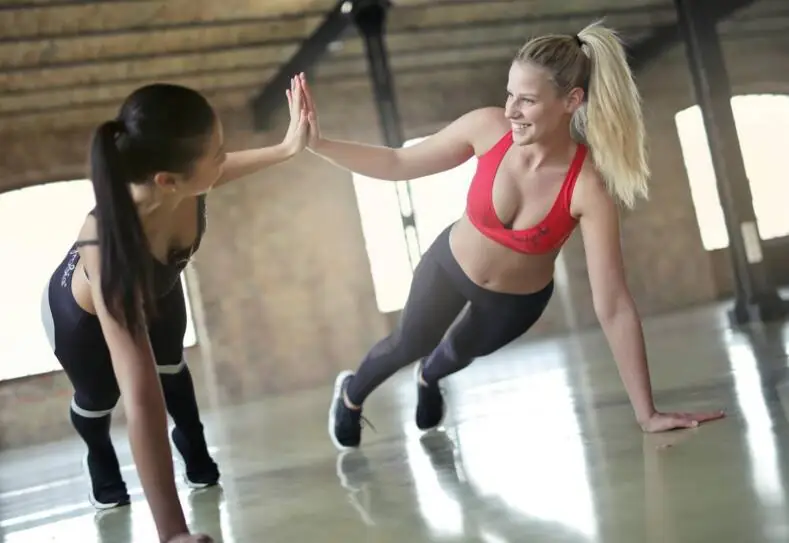
Choosing between Fitness Blender and Beachbody for online workouts comes down to what each person values in their fitness journey. Fitness Blender is known for balanced routines with clear instructions, while Beachbody offers more structured programs and engaging trainers. Both platforms help people work out at home, but the style, guidance, and format are different.
Fitness Blender provides a wide range of free and paid workout videos. Beachbody stands out with full fitness programs, calendars, and extras like nutrition guides. People looking for flexibility may prefer Fitness Blender, while those who want a plan to follow might find Beachbody more useful.
Key Takeaways
Fitness Blender and Beachbody offer different workout styles and guidance.
Each platform has unique structures, trainers, and pricing options.
User needs and preferences determine which service is the best fit.
Program Structure and Content
Fitness Blender and Beachbody offer different options for people who want to work out at home. Both platforms feature guided workout programs, but they are designed and structured in different ways to fit a range of fitness goals and preferences.
Workout Programs Overview
Fitness Blender offers a selection of workout programs that range from 2 to 8 weeks. These programs often focus on a mix of HIIT, strength training, and cardio workouts. Many include rest days and follow a balanced schedule. The programs display a clear start and end, making them easy to follow.
Beachbody provides a large library of structured workout programs. Each program has a set length, often from 3 weeks to 3 months. Examples include “21 Day Fix,” “P90X,” and “Insanity.” Users receive daily calendars and schedules to guide them through each step. Beachbody also features “workout challenges” to help people stay motivated.
Below is a comparison table:
Platform
Program Length
Scheduling
Examples
Fitness Blender
2–8 weeks
Flexible
Abs, Weight Training
Beachbody
3–12 weeks
Fixed Calendar
P90X, 21 Day Fix
Types of Exercises and Modalities
Fitness Blender covers a range of exercises, including HIIT, strength training, cardio, yoga, and Pilates. They also offer targeted routines, such as ab workouts and the “Ultimate Bum Workout.” Most workouts use minimal equipment, often just dumbbells or bodyweight.
Beachbody offers programs with more variety in style and presentation. It includes classic cardio workouts, weights, weight training, barre workouts, Pilates, and dance-based classes. Some programs focus on specific themes like “Ballet Bootcamp,” “Ballet Beautiful,” or even self-defense with “Krav Maga Defense.” Workouts often incorporate equipment, and some routines are designed for advanced participants.
Beachbody’s video production is typically more polished, with motivating trainers and group settings. Fitness Blender uses a straightforward training style with simple backdrops and clear instructions.
Customization and Personalization
Fitness Blender allows users to choose workouts based on time, difficulty, and body focus. People can mix different routines or build custom schedules to suit their needs. There are filters to help find specific goals, like strength or flexibility.
Beachbody provides fixed workout schedules, but users can select from many programs based on fitness level, body part, or workout type. Some programs offer options to adjust intensity or swap classes, but most follow preset calendars. The “Walk Strong Program” and similar routines support beginners or those with special needs.
While both platforms let users set preferences, Fitness Blender is more customizable and flexible. Beachbody gives more guidance and structure for those who want a set routine.
User Experience and Accessibility
Fitness Blender and Beachbody both make it easy to work out from home, but the way they do this is different. Each platform offers a unique interface, device support, and ways to stay motivated through their communities and tools.
Interface and Navigation
Fitness Blender uses a simple, uncluttered website and YouTube channel. Their interface focuses on search tools that let people filter workouts by length, difficulty, or equipment. Many appreciate that they can get started quickly, with clear workout previews and no ads on their main website.
Beachbody On Demand uses a more feature-rich interface, with slick menus, interactive calendars, and structured workout programs. Users can follow a set schedule, track daily progress, and see everything in one dashboard. Some find the design busier, but it helps people stay on a plan.
Comparison Table
Fitness Blender
Beachbody
Simplicity
Straightforward, minimal
Rich, guided
Ads
None on main site
None in app
Programs
Self-paced, flexible
Guided, calendared
Preview
Yes
Yes
Device Compatibility and Apps
Fitness Blender is accessible from any web browser and supports most devices, including laptops, tablets, and phones. There is no dedicated app, but all videos play in modern browsers. Their YouTube channel adds another way to watch on smart TVs or streaming devices.
Beachbody On Demand offers a dedicated app for Android, iOS, Roku, and Apple TV, giving users a consistent experience across platforms. The app syncs with certain fitness trackers, such as Apple Watch, for activity tracking. Progress can be easily monitored through the app, and users can download workouts to watch offline.
Their commitment to multi-device support and app integration is helpful for anyone who wants to track workouts on the go or from different screens.
Community and Motivation
Fitness Blender has a free online community and an active comment section on both their site and YouTube channel. Users often share tips, progress, and encouragement. Their blog also covers motivation, workout tips, and healthy living.
Beachbody’s community is built into their subscription. Subscribers join private groups and forums, and some programs pair users with “accountability coaches” or peers. These groups and daily tracking help keep users motivated and engaged. Beachbody also runs challenges and leaderboards within the app to boost participation.
People who value social motivation or personal coaching often find Beachbody’s community features more robust, while those who prefer open sharing may like Fitness Blender’s public forums and content.
Trainers and Guidance
Fitness Blender and Beachbody each offer distinct approaches to guidance and coaching. Their trainers, schedules, and support systems set them apart, giving users different ways to stay on track and motivated.
Coaching Styles
Fitness Blender centers on a straightforward style. Their programs focus on clear instructions, safe form, and balance between exercise and recovery. Videos generally feature minimal distractions. Workouts tend to have dedicated warm-ups and cool-downs.
Fitness Blender’s approach is less about hype and more about education. There is no official “coach” presence; instead, Kelli and Daniel guide users through the videos using calm, supportive language. There are no live classes or direct interaction, but structured calendars help users stick to a plan.
Beachbody offers a more interactive experience. Programs come with fixed schedules, meal plans, and sometimes community challenges. Trainers use high-energy encouragement and push users to go further. Beachbody’s motivational style is visible through their polished videos and social features.
Live workouts and group accountability tools like Facebook groups and message boards are available. This can be helpful for users who prefer active support and detailed tracking.
Notable Trainers
Fitness Blender is led by its founders, Kelli and Daniel Segars. They appear in nearly every video and are known for their calm, knowledgeable approach. There are no celebrity trainers or rotating cast; most content features these two.
Beachbody uses many well-known fitness personalities. Jillian Michaels is not part of Beachbody, but other trainers like Autumn Calabrese, Shaun T, and Tony Horton are central figures. Their styles vary, but all are energetic and motivational.
Other fitness pros like Zuzka Light (known for Zuzkalight) and Jessica Smith have separate online programs. They are not part of the main Beachbody or Fitness Blender teams, but their workouts are sometimes compared by users looking for alternatives.
Beachbody’s approach focuses a lot on the trainer’s persona, offering variety in both personalities and workout types. Fitness Blender keeps things simple, featuring only the main duo in most content.
Pricing and Access Options
Both Fitness Blender and Beachbody offer different ways to access workouts and fitness plans, with options for free use and paid memberships. Their pricing structures and access levels stand out among online fitness programs, making them appealing to various budget needs.
Free vs Paid Features
Fitness Blender provides a large library of free workout videos. Users can browse and complete hundreds of full-length workouts at no cost, which supports hashtags like #getfit4free. The free content covers cardio, strength, and HIIT. This makes Fitness Blender a strong option for people looking to exercise without spending money.
Beachbody does not have a true free tier. While there are limited sample workouts, the majority of its content is locked behind a subscription. For those focused on free access, alternatives like the free version of Nike Training Club, or some YouTube fitness channels, may be better fits. Daily Burn and Peloton also require subscriptions, though they sometimes offer free trial periods.
Subscriptions and Memberships
Fitness Blender Plus is available for $80 per year, and unlocks extra features like advanced tracking and exclusive programs. There is also a lower-tier Premium at approximately $4.99 per month or $39.99 per year, offering additional perks compared to the free plan. No gym membership is required; everything is online.
Beachbody On Demand has a yearly plan around $119.98. Subscribers get access to all programs, such as HIIT, yoga, and strength, plus nutrition guides. BODi, Beachbody’s interactive platform, adds another fee of about $19.95 per month.
Other platforms, such as Daily Burn, Peloton, and FitPlan, also use paid subscriptions, which range from $10 to $20 per month. Nike Training Club used to charge, but now many of its content is free. All these programs can replace traditional gym memberships for some users.
Nutrition and Supplementary Resources
Nutrition and learning are important parts of a fitness journey. Fitness Blender and Beachbody both offer support, but their approaches are very different.
Meal Plans and Diet Support
Beachbody provides detailed nutrition programs along with its workouts. Users get access to meal plans, shopping lists, and specific diet programs like Portion Fix and 2B Mindset. These guides are planned for different fitness goals, whether someone is trying to lose weight, gain muscle, or maintain a healthy lifestyle.
Fitness Blender does not include meal plans with its workout calendars. They offer some general nutrition advice and healthy recipes on their website, but nothing as in-depth as a set meal plan or specialized diet system. Users looking for structured meal planning would find Beachbody’s resources more complete and guided.
Educational Content
Beachbody includes a large library of educational videos, articles, and guides about healthy eating, nutrition science, and building lifelong habits. Their programs often explain not just what to eat, but why certain choices support fitness progress.
Fitness Blender focuses more on straightforward articles and blog posts about nutrition basics. Recipes and nutrition tips are available, but they do not go as deep into research or interactive learning as Beachbody. Their approach is simple and practical, with easy-to-read content designed to help users make healthier choices.
For those who want to learn about nutrition while also following a specific program, Beachbody offers more comprehensive educational support than Fitness Blender.
Results, Tracking, and Success Stories
Both Fitness Blender and Beachbody provide tools to help users measure their workout progress and see real results. Users can find a sense of community and common experience by sharing their own success stories.
Progress Tracking Tools
Fitness Blender offers a simple, user-friendly approach to tracking workouts. Users can log completed sessions on the website. They see details like type, length, and difficulty of each video. There are no built-in metrics for step-by-step progress, but users can create a schedule or follow calendar-based programs for structure.
Beachbody includes comprehensive tracking features within its platform. Every program comes with a schedule, so users know which workout to do each day. The BODi app lets members log completed workouts and track progress over weeks or months. Some Beachbody programs include printable tracking sheets or digital progress charts to help users monitor improvements in strength, flexibility, or time spent on ab routines.
Platform
Progress Tracking Features
Custom Schedules
Workout Calendar
Fitness Blender
Workout logs, basic schedule
Yes (manual)
Yes (in programs)
Beachbody
App logging, charts, sheets
Yes (guided)
Yes (built-in)
Community Success Stories
Many users share their results in workout clothes, showing before-and-after photos or describing how ab routines and workout videos improved their fitness. Fitness Blender’s community often posts in forums and comment sections, focusing on realistic progress and balanced routines.
Beachbody highlights “Transformation Stories” on their website. These stories showcase users who followed their workout schedules and nutrition plans, reaching weight loss goals or gains in muscle tone. Some users mention following specific programs for several weeks and achieving noticeable changes.
Examples from both communities stress steady, sustainable results. Users celebrate both small and large milestones, including sticking to a schedule, finishing a challenging program, or fitting into new workout clothes after regular training.
Frequently Asked Questions
Fitness Blender and Beachbody both offer online workouts, but they have different program styles, pricing, and user feedback. Cost, types of workouts, and the focus on long-term health also vary between the two platforms.
What are the main differences between Fitness Blender and Beachbody?
Fitness Blender focuses on balanced exercise routines and emphasizes free and affordable workout options. Programs offer clear warm-ups, cool-downs, and rest days.
Beachbody provides a wide range of structured programs, celebrity trainers, and ready-made calendars. Beachbody’s workouts are often high-energy and come with nutrition plans as well.
Which platform is better for weight loss, Fitness Blender or Beachbody?
Both platforms offer programs aimed at weight loss. Beachbody highlights structured meal plans and high-intensity training, which may help users with strict goals.
Fitness Blender allows users more flexibility in choosing workouts but does not provide meal plans as part of standard programs. Weight loss depends on consistency, diet, and personal preference.
What are the cost comparisons between Fitness Blender and Beachbody programs?
Fitness Blender offers many free workouts on its website and sells low-cost programs and plans. There are no ongoing membership fees required for basic use.
Beachbody charges a monthly or annual subscription for access to its workouts and programs. Additional costs may apply for supplements or premium plans.
How do user experiences with Fitness Blender compare to those with Beachbody on Reddit?
Many users on Reddit like Fitness Blender for its straightforward approach and free content. Some prefer its balanced routines and the ability to create a custom schedule.
Beachbody tends to get praise for its motivating trainers and fun, engaging programs. Some users mention that workouts feel more like classes, and the structured calendar is helpful.
Are there any other workout programs comparable to Fitness Blender and Beachbody?
Other popular programs include Kayla Itsines’ BBG (now Sweat), Nike Training Club, and Peloton Digital. These platforms offer different styles and structures, such as guided routines and a variety of workout types.
Users can also try free content from YouTube fitness channels, which offer a wide range of at-home workouts.
What are the advantages of Fitness Blender over Beachbody for at-home workouts?
Fitness Blender lets users start right away with no cost barrier. Workouts are clear, not tied to expensive equipment, and designed to be flexible for all levels.
The approach focuses on balance and recovery, which can help reduce injury risk and burnout. Fitness Blender’s straightforward design appeals to those who prefer simplicity and control over their routines.
Related Posts:
Fitness Vigor Fitness vigor means having strength and energy for daily activities, built by…